IGRS Madhya Pradesh: Registration Charges and Stamp Duty @mpigr.gov.in

IGRS Madhya Pradesh: Registration Charges and Stamp Duty, Under the governing body of the Registration and Stamps Department, the state government decided to establish an online portal that helps in simplifying property registration in the state. By using the website, citizens of MP can avail a wide range of services.
This blog will discuss about IGRS Madhya Pradesh and the services available for the citizens.
Read more: IGRS Rajasthan And The Epanjiyan Website: Know About It igrs.rajasthan.gov.in
Read Also: Godrej Buy 33 Acre of Land in Bannerghatta Road Bangalore
Services On IGRS MP
There are various services that citizens can avail of, directly from the official IGRS portal such as:
• Document search
• Agricultural land conversion check
• Khasra numbers check
• RERA registration of housing projects
• Stamp duty and registration fee table
• Guideline value of properties in cities
• Stamp duty calculation
• Electricity bill
• Water tariff
The website is available in both Hindi and English languages for the ease of citizens.
Read Also: DLF One Midtown
Read Also: Top 10 Best Luxury Apartments in Noida
Read Also: Loan Against Property In Noida
What Documents Are Required To Register Property In MP?
The following documents are required to register a property in Madhya Pradesh like: Identity proof, address proof and property-related documents, among others.
Also read: IGRS Bihar: All About Registration And Bhumi Jankari
Read Also:- Top 10 Best Residential Projects in Gurgaon
Read Also:- Top 10 Best Residential Projects in Mumbai
Steps to register property online on the IGRS MP website
In few simple steps, the user can register property in Madhya Pradesh online on the IGRS MP:
Step 1: The first time users will have to first register themselves on the IGRS MP official website, to proceed with the e-registration of properties.
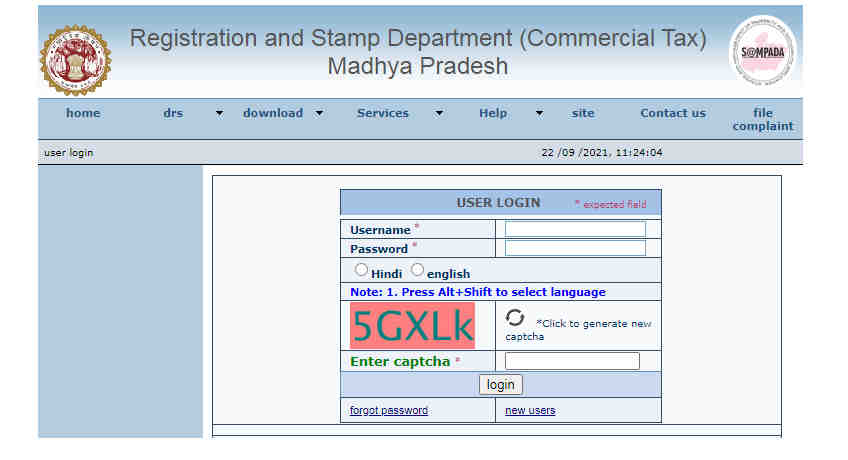
Step 2: On the main page, click on the tab ‘panjiyan ki prakriya’ (the process of registration).
Read also: Top 10 Best Luxury Apartments in Gurgaon
Read Also: Buy Residential and Commercial Property in Noida
Read Also: ATS Homekraft Rohini Delhi
Read Also: Max Sector 128 Noida
Read Also: Godrej Woodsville
Read Also: Paras Floret
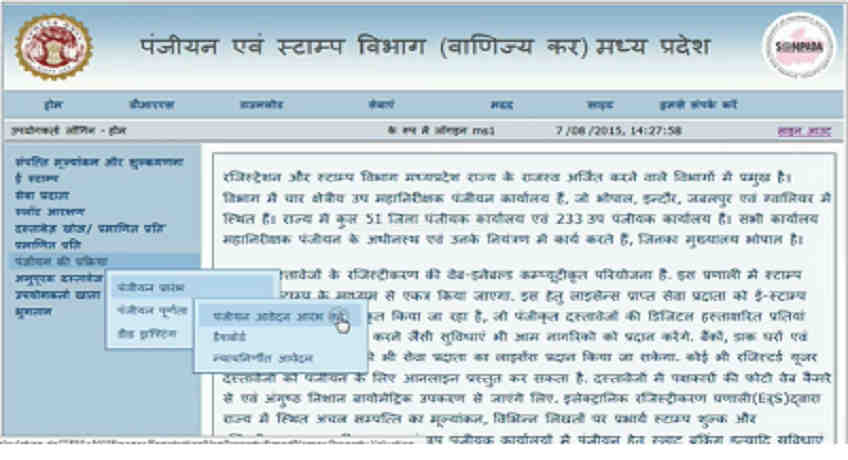
Step 3: Now, you will see options-panjiyan prarambh, panjiyan poornata and deed drafting. Click on the first option.
Step 4: After this, three options will appear where you need to click on the ‘panjiyan avadan aarambh karein’ (start the registration process) option.
Step 5: From the drop down menu, select the deed category (vilekh kshreni).
Also Read : IGRS Uttarakhand: Know Everything About Stamp Duty and Registration Charges
Step 6: Again from the options available, select ‘achal sampatti se sambandhit’ (related to immovable property) option.
Step 7: Now from the various options under ‘vilekh parakar’ tab (deed type), select ‘hanstantaran patra’ (transfer deed).
Step 8: Choose among the nine options provided under the ‘likhat’ (deed) category, select ‘vikray/vikray ka samanudesh’ (sale).
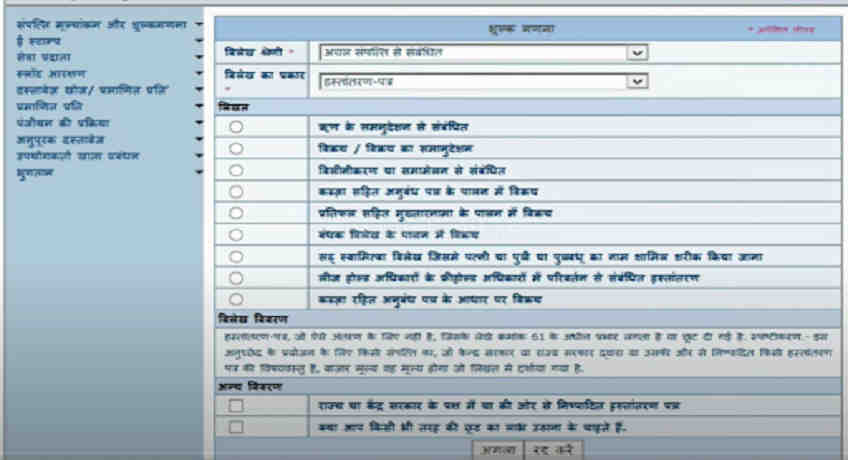
Step 9: To proceed further, you will now have to provide the consideration value of the transaction under the head ‘pratiphal’. At this point the user will be asked if he wants to avail of any rebates and whether you have a property valuation ID.
Read Also: TVS Emerald Singasandra Bangalore
Read Also: Godrej Pimpri Chinchwad Pune
Step 10: The next page will show you the map of Madhya Pradesh. Now, from the map, select the city where the property is located.
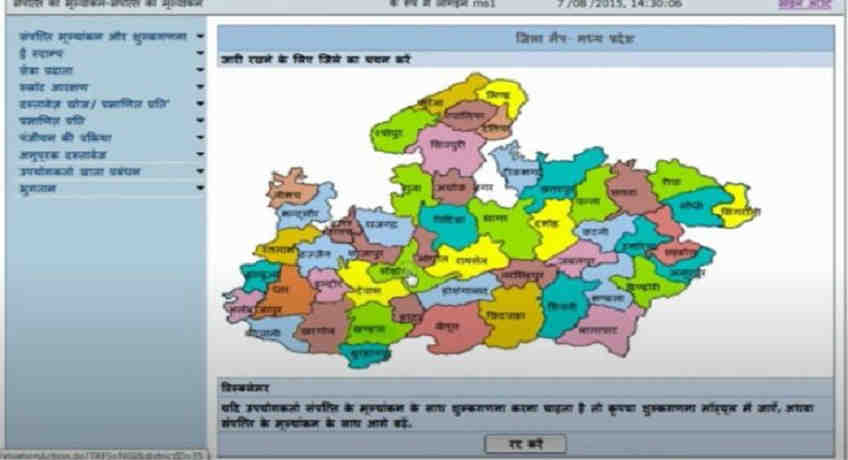
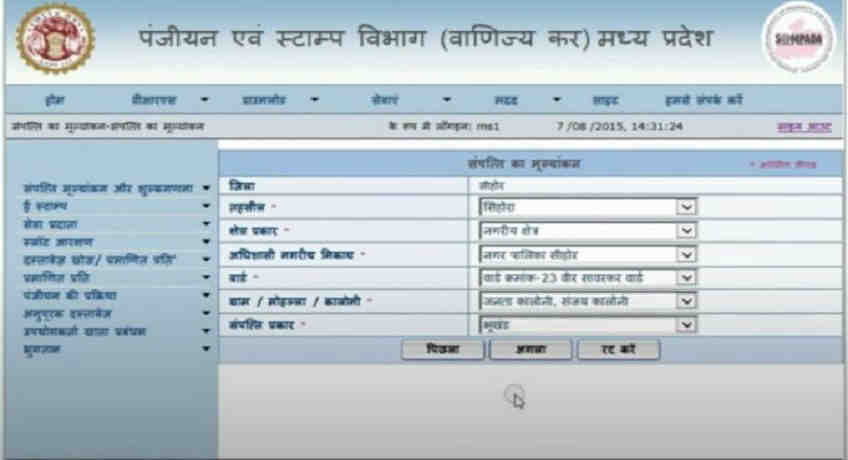
Step 11: Enter the key details like the name of the district, the type of land, municipal body, ward, village/colony, property type, etc and click on the ‘next’ button.
Read Also: Smart World Sector 111 Gurgaon
Read Also: L and T Sector 150 Noida
Read Also: M3M Sector 111 Gurgaon
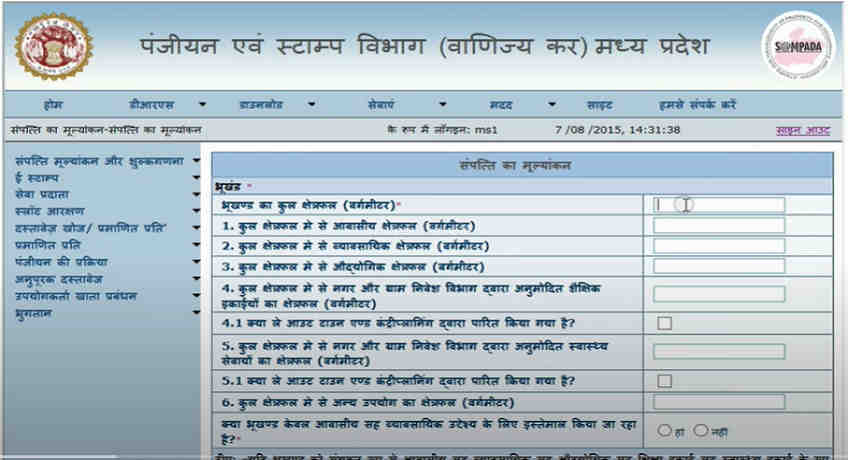
Step 12: On the next page, you will have to provide all the details about the property.
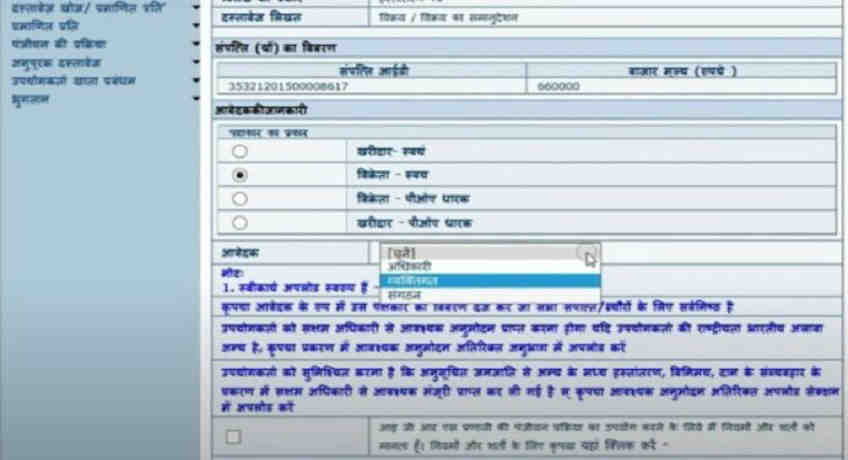
Step 13: Next, you will be able to see the market value of the property and its registration ID.
Step 14: On the following page, state the party name who is initiating the registration and then click on the ‘vikreta’ (seller), his type and ‘vyaktigat’ (individual).
Read Also: IGRS Andhra Pradesh: Citizen Services, Encumbrance Certificate(EC), Registration
Read Also: M3M Sector 79 Gurgaon
Read Also: Smart World Sector 79 Gurgaon
Read Also: Birla Sector 150 Noida
Read Also: M3M Sector 128 Noida
Step 15: Now, provide the seller’s details where you will also have to provide the photo ID proof of the seller.
Make sure that all the files uploaded are in the JPEG form and their size should not exceed 500KB.
After that, accept the terms and conditions, to proceed and click on the ‘next’ button. The new page will require filling all the details about the buyer. The photo ID proof of the buyer will have to be uploaded along with other details. After this, hit the ‘next’ button. In case there are multiple buyers, you will have to add the name of the other parties too.
Also read: IGRS Jharkhand: e-Nibandhan Website and Registration Process
Now, you have to provide certain details about the property and upload the map along with the pictures of the property. To proceed further, you will again have to accept terms and conditions and hit the ‘next’ button.
On the next page, you will be able to see the temporary registration ID and details of the buyers and the sellers. Proceed by paying with the stamp duty payment.
After the successful payment, you can book a slot for the physical appearance at the sub-registrar’s office, to finally complete the property registration.
Read also : IGRS Telangana: Property Registration, EC and Online Services For Citizens
Read Also: - Top 10 Best Residential Projects in Pune
Read Also:- Top 10 Best Residential Projects in Kharadi
Read Also: - Top 10 Best Residential Projects In Undri
Read Also: - Top 10 Best Residential Projects in Wagholi
Read Also: - Top 10 Best Residential Projects In Bangalore
Read Also: - Top 15 Best Residential Projects In Gurgaon
Read Also: Top 10 Best Residential Projects In Noida Extension
Read Also: - Top 10 Best Residential Projects In Sector-150 Noida
Read Also:- Top 10 Best Residential Projects in Noida
Read Also:- Top 10 Best Residential Projects in Wakad
Read Also:- Top 10 Best Residential Projects in Bavdhan
Read Also:- Top 10 Best Residential Projects in Nibm
Read Also:- Top 10 Best Residential Projects in Talegaon
Read Also:- Top 10 Best Low Rise Apartments in Gurgaon
Read Also:- Top 10 Best Residential Projects in Mamurdi
Read also: Top 10 Best Commercial Property in Noida
Read Also: Top 10 Best Luxury Villas in Noida
Read Also: Top 5 Best Luxury Projects in Delhi
Read Also: Top 10 Best Luxury Projects in Bangalore
Read Also: Top 10 Best Luxury Projects in Gurgaon
Read Also: Top 10 Best Residential Projects In Chennai
Read Also: Top 10 Best Residential Projects in Dwarka Expressway Gurgaon
Read Also: TARC Kirti Nagar Delhi
Read Also: Top 10 Best Luxury Apartments in Pune
Read Also: Top 10 Best Luxury Apartments in Mumbai
Read Also: M3M Projects in Gurgaon
Read Also : Assetz Group Property Bangalore Real Estate Developer And Builder
Related Articles

Types Of Building Plans How To Design, Advantages
Types Of Building Plans How To Design, AdvantagesBuilding blueprints offer an image of how a structure will look when it is finished. Contractors and

What are Home Buyers expecting from Modi Government’s Maiden Budget?
What Are Home Buyers Expecting From Modi Government’s Maiden Budget?Expecting the now-fabled "achche din," homebuyers had high hopes for the first bud

Why are smart homes gaining popularity
Why Are Smart Homes Gaining Popularity?Technology is gradually permeating the nation's housing industry. The modern home buyer is becoming more and mo

Master Plan - What is it, Importance, Advantage & How it is made
Master Plan - What Is It, Importance, Advantage & How It Is Made?The city's long-term plans are called master plans. They therefore need to be com