Bhulekh Odisha : Guide How To Check Land Records Online?

Bhulekh Odisha : Guide How To Check Land Records Online-This blog is about all the Odisha land-related information and records maintained online in the eastern state, through the official Bhulekh portal.
When the central government of India started a nationwide process to digitise land records, Odisha was among those states that acted as frontrunners. Now, the users can access state’s official Bhulekh Odisha portal and got the facility to check land records online in the year 2008.
Read Also: Godrej Buy 33 Acre of Land in Bannerghatta Road Bangalore
As the land records got digitalised, that made people to get all land-related information that eventually saved their time and energy. It also enabled its citizens to have access to land records at any time through official Bhulekh Odisha.
Moreover, this process of digitisation of land records has also accompanied in an era of transparency and ease in all kind of land-related transactions in Odisha. Along with that, it has empowered people with access to crucial information at Bhulekh Odisha.
Read Also: DLF One Midtown
Read Also: Top 10 Best Luxury Apartments in Noida
Read Also: Loan Against Property In Noida
What Is Odisha Bhu Naksha?
Bhu-naksha refers to the cadastral map of land area that shows the extension, value and ownership of land. Though many of Indian states enables this information under the government’s Digital India programme.
But interestingly, almost all of their websites are titled as Bhu Naksha. And, in simple words when we talk about the official website of Odisha Land records, it gives all land-related information in Odisha, then it is known as Odisha Bhulekh website.
Read also: Top 10 Best Luxury Apartments in Gurgaon
Read Also: Buy Residential and Commercial Property in Noida
Read Also: ATS Homekraft Rohini Delhi
Read Also: Max Sector 128 Noida
Read Also: Godrej Woodsville
Read Also: Paras Floret
What Is Odisha Bhulekh?
Odisha Bhulekh is defined as the record of rights (ROR) of land, land owners and ownership pattern. Also, it states the productive potential of all of land in the state of Odisha. And to seek any kind of details mentioned above, users can visit the official portal of Odisha Bhulekh website.
What All Information Can A User Get On Bhulekh Odisha Website?
The Bhulekh Odisha portal allows the users to access land-related information like the one mentioned below:
- Record of Rights (RoR)
- Land maps
- Tehsil information
- State statistics
You can also get all this information on the Odisha Bhulekh app also, that is easily accessible on phone. Users can comfortably download the Odisha Bhulekh app on Google Play store, to access land records with convenience.
Read Also: TVS Emerald Singasandra Bangalore
Read Also: Godrej Pimpri Chinchwad Pune
Application Fee On Odisha Bhulekh Website
There is a specified fee that the citizens have to pay to avail several services on the official Odisha Bhulekh website:
| Service | Fee |
| Government fee | Rs 30 |
| Printing charges | Rs 10 |
| Certificate output charges | Rs 10 |
| Kiosk operator charges | Rs 8 |
| Scanning charges | Rs 5 |
| DEGs charges | Rs 2 |
List of Documents Required To Check ROR On Bhulekh Odisha
To get the access of record of rights on the Bhulekh Odisha portal, the user is required to provide the below-mentioned documents such as:
- Property title documents
- ID proof – this includes Aadhaar card, voter ID, ration card, driving licence, etc.
- Tax/lagaan payment receipt.
- Income certificate.
- Encumbrance certificate.
Read Also: Birla Sector 150 Noida
Read Also: M3M Sector 128 Noida
How To View RoR On Bhulekh Odisha Website?
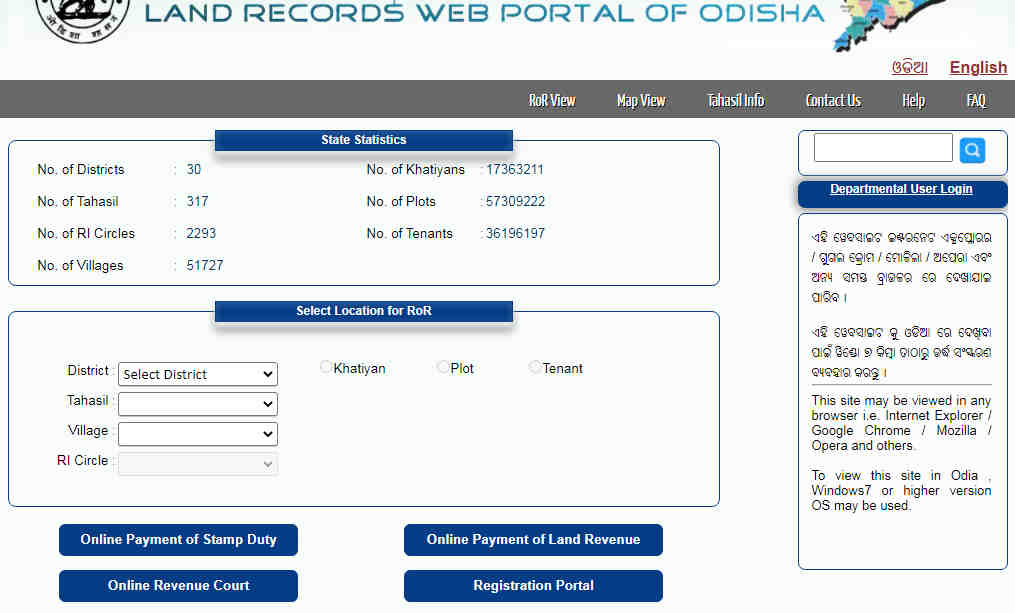
First of all to view RoR details, the user will have to log on to the official portal of Bhulekh Orissa, i.e. www.bhulekh.ori.nic.in .
On the homepage of the website, now you will be needed to choose the suitable details from the given options under the option of ‘Select Location for ROR’ like District, Tahasil, Village and RI Circle.
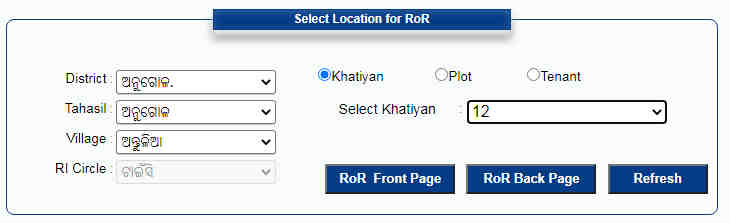
Now, select one option among Khatiyan, Plot or Tenant as your option to proceed further.
Next, hit the ‘RoR Back Page’ option after which a new page will open that will provide you with the RoR record as per requirement.
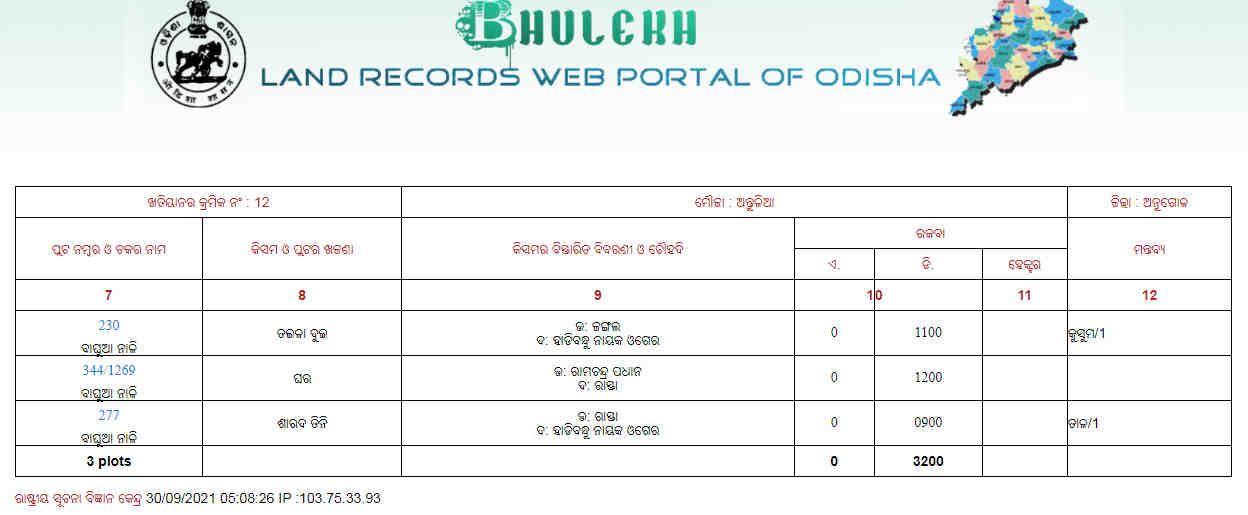
From here, you will get a PDF copy of RoR documents on Odisha online portal, then you have to visit the nearest tahasil office, to get these documents to so that you can finally use it for official purposes. For this also, you will have to collect and fill the RoR application form.
Steps To Download Land Records On Odisha Bhulekh Website
Downloading land records on Odisha Bhulekh Website is very easy and can be done in few simple steps. On Bhulekh Odisha website, you will have to click on ‘RoR Back Page’ and ‘RoR Front Page’ after the land records becomes visible. Now, if you want the print then click on ‘Print’ option and also save the file in the format of PDF.
Read Also: M3M Sector 79 Gurgaon
Read Also: Smart World Sector 79 Gurgaon
How To Check Maps On Bhulekh Odisha?
Simply visit the official web portal and click on the ‘View Map’ option on the top of the page. A new page of Bhu Naksha Odisha will appear in front of you on your screen that will further ask you to select your required district.
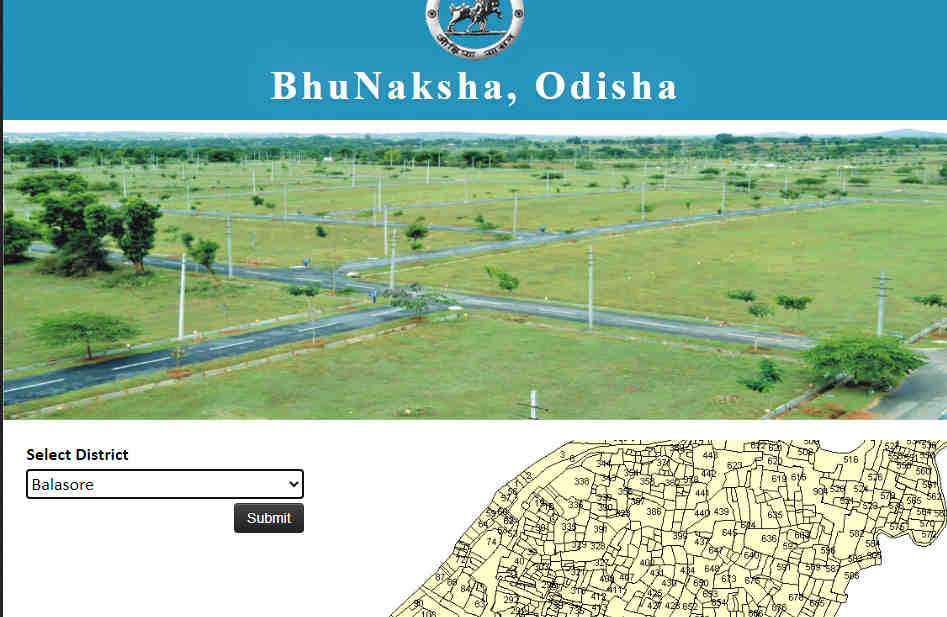
From the drop-down menu, you can now select options that are provided under tehsil, RI, village and sheet number, to view the map of the exact location.
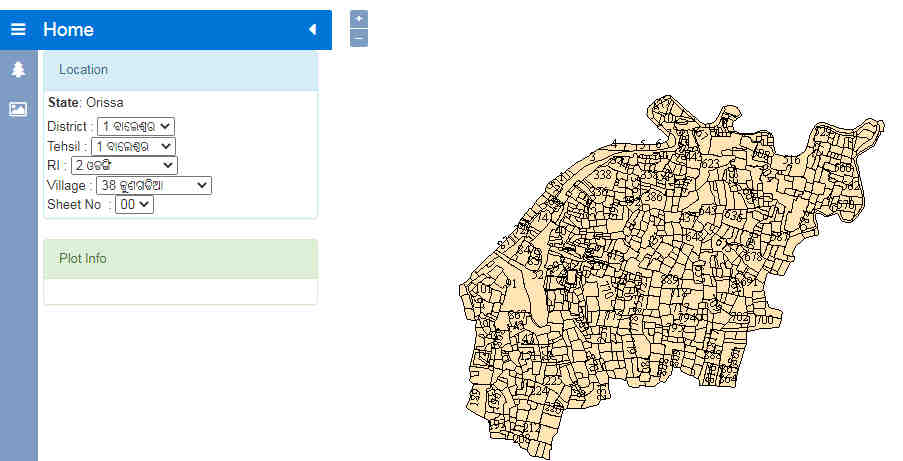
Bhulekh Odisha Website: Steps To View Tehasil Information Online
Step 1: On the homepage of Bhulekh Odisha, the user will click on ‘Tahasil Info’ on the top of the page.
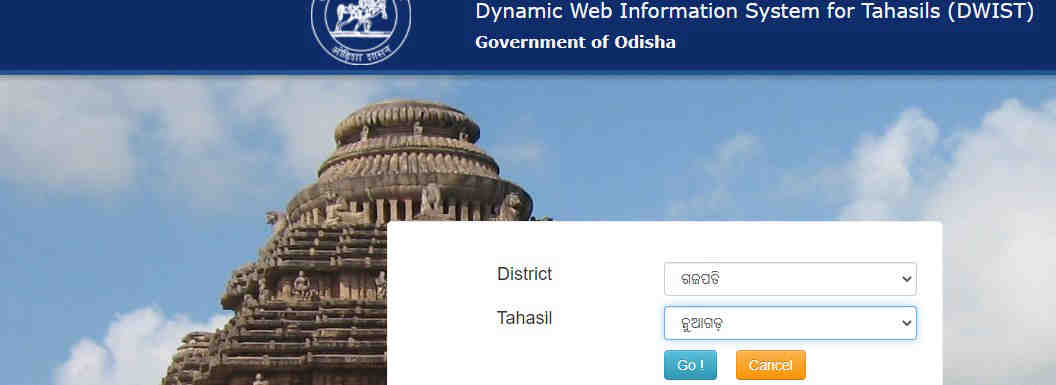
Step 2: You will now be redirected to the ‘Tahasil Web Information’ page. Now, the user will be asked to select relevant district and tehasil.
Step 3: Finally, click on the ‘Go’ button and you will be redirected to the page of the selected tahasil.
Also read: Odisha RERA Everything You Need To Know
Frequently Asked Questions About Bhulekh Odisha
Q. Can I check land details on the Bhulekh Odisha website?
A. Land details can be checked on the Bhulekh Odisha website, by entering the relevant details asked by the server such as name of district, tehsil, village name and land schedule. It can also be checked by using khatiyan number/plot number and tenant details.
Q. Can I check all my plot details on the Bhulekh Odisha website?
A. Yes, all the plot details can be checked at RoR Back Page on the Bhulekh Odisha website.
Q. Can I check tenant details and other details like rent and cess on the Bhulekh Odisha website?
A. Yes, you can check all the tenant and rent and cess details at RoR Front Page of the Bhulekh Odisha website.
Q. Can I check my land map on Bhulekh Odisha website?
A. Yes, you can check your map details via the tab ‘MapView’ on the Odisha Bhulekh website.
Q. Can I check all my details in Odia on Bhulekh Odisha?
A. Yes, all the details are available in Odia language, if you click the ‘Odia’ button on the top right portion of the Bhulekh Odisha website.
Q. Who can I contact in case of any issues with land records in Odisha?
A. You have to contact the tehsildar concerned, or the director of land records and survey. You can also get in touch with the revenue and disaster management department, in case of any further issues.
Read Also: Smart World Sector 111 Gurgaon
Read Also: L and T Sector 150 Noida
Read Also: M3M Sector 111 Gurgaon
Q. What are land registration fees in Odisha?
A. Buyers have to pay 5% of the land value as the stamp duty, if the registration is being done in the name of a man. For women, buyers, the stamp duty on land purchase in Odisha is 4% of the land value.
Q. How can I check my plot details in Odisha?
A. On the homepage, select the district, tahasil, village and RI circle under ‘Select Location for RoR’ and then choose the ‘Plot’ option and the Plot No, to view the information.
Q. What is ROR in Odisha?
A. Odisha RoR (Record of Rights) contains information related to the land, including the complete history of its holders/owners. It is an extract of the Odisha Revenue Department’s land records.
Read Also: IGR Odisha : Inspector General of Registration Details
Read Also: - Top 10 Best Residential Projects in Pune
Read Also:- Top 10 Best Residential Projects in Kharadi
Read Also: - Top 10 Best Residential Projects In Undri
Read Also: - Top 10 Best Residential Projects in Wagholi
Read Also: - Top 10 Best Residential Projects In Bangalore
Read Also: - Top 15 Best Residential Projects In Gurgaon
Read Also: Top 10 Best Residential Projects In Noida Extension
Read Also: - Top 10 Best Residential Projects In Sector-150 Noida
Read Also:- Top 10 Best Residential Projects in Noida
Read Also:- Top 10 Best Residential Projects in Wakad
Read Also:- Top 10 Best Residential Projects in Bavdhan
Read Also:- Top 10 Best Residential Projects in Nibm
Read Also:- Top 10 Best Residential Projects in Talegaon
Read Also:- Top 10 Best Low Rise Apartments in Gurgaon
Read Also:- Top 10 Best Residential Projects in Mamurdi
Read Also:- Top 10 Best Residential Projects in Gurgaon
Read Also:- Top 10 Best Residential Projects in Mumbai
Read also: Top 10 Best Commercial Property in Noida
Read Also: Top 10 Best Luxury Villas in Noida
Read Also: Top 5 Best Luxury Projects in Delhi
Read Also: Top 10 Best Luxury Projects in Bangalore
Read Also: Top 10 Best Luxury Projects in Gurgaon
Read Also: Top 10 Best Residential Projects In Chennai
Read Also: Top 10 Best Residential Projects in Dwarka Expressway Gurgaon
Read Also : Assetz Group Property Bangalore Real Estate Developer And Builder
Related Articles

Types Of Building Plans How To Design, Advantages
Types Of Building Plans How To Design, AdvantagesBuilding blueprints offer an image of how a structure will look when it is finished. Contractors and

What are Home Buyers expecting from Modi Government’s Maiden Budget?
What Are Home Buyers Expecting From Modi Government’s Maiden Budget?Expecting the now-fabled "achche din," homebuyers had high hopes for the first bud

Why are smart homes gaining popularity
Why Are Smart Homes Gaining Popularity?Technology is gradually permeating the nation's housing industry. The modern home buyer is becoming more and mo

Master Plan - What is it, Importance, Advantage & How it is made
Master Plan - What Is It, Importance, Advantage & How It Is Made?The city's long-term plans are called master plans. They therefore need to be com